
Cloud-based applications have quietly become part of everyday digital life. These applications drive most of the tools that people use in their day-to-day activities, including checking emails and editing documents online, as well as running business activities. However, to the novice, the idea can be abstract or too technical.
This manual simplifies it all. You’ll learn what cloud-based applications are, how they work, their features, real-world examples, and even their drawbacks. By the end, you’ll have a clear understanding of whether cloud-based applications make sense for you or your business.
What are Cloud-Based Applications?
Cloud-based applications are software programs hosted on cloud servers rather than installed locally on a device. They are accessed by the users using a web browser or a lightweight client and processed and stored in the cloud.
This arrangement eliminates the use of strong hardware or complicated installations. The application is current, safe, and can be accessed virtually anywhere.
How Cloud-Based Applications Work?
Behind the scenes, cloud-based applications rely on three core components:
- Frontend – The interface that users interface with, typically via a browser.
- Backend – These are servers that process and store data and logic.
- Internet connection – The interface between users and cloud infrastructure.
All things are remotely updated; thus, users will never have to upgrade manually to the latest version.
Types of Cloud-Based Applications
Not all cloud-based applications are built the same way. Various deployment models are used to address various requirements. 83% of organizations worldwide operate multi-cloud strategies, showing widespread use of more than one provider for resilience and flexibility.
Public Cloud Applications
These operate on a common infrastructure that is administered by third parties. They are affordable and simple to grow, thus being favored by startups and individuals.
Private Cloud Applications
Private cloud-based applications operate on dedicated infrastructure. They are more customizable and have more control, which is usually desired by businesses with high security requirements.
Hybrid Cloud Applications
Hybrid models integrate between the public and the private clouds. Businesses are able to maintain confidential information on the public cloud resources to achieve flexibility.
Multi-Cloud Applications
Multi-cloud applications are applications that utilize services of more than one provider. This will enhance redundancy and decrease the reliance on one vendor. According to Flexera, the percentage of multi-cloud usage increased to 89 percent, and 61 percent of the large enterprises utilized multi-cloud security tools due to cost and resilience considerations.
Features of Cloud-Based Applications
Several features set up cloud-based applications apart from traditional software. It is these features that make adoption to keep on increasing. 94% of enterprises worldwide use some form of cloud services, reflecting near-universal adoption of cloud tools.
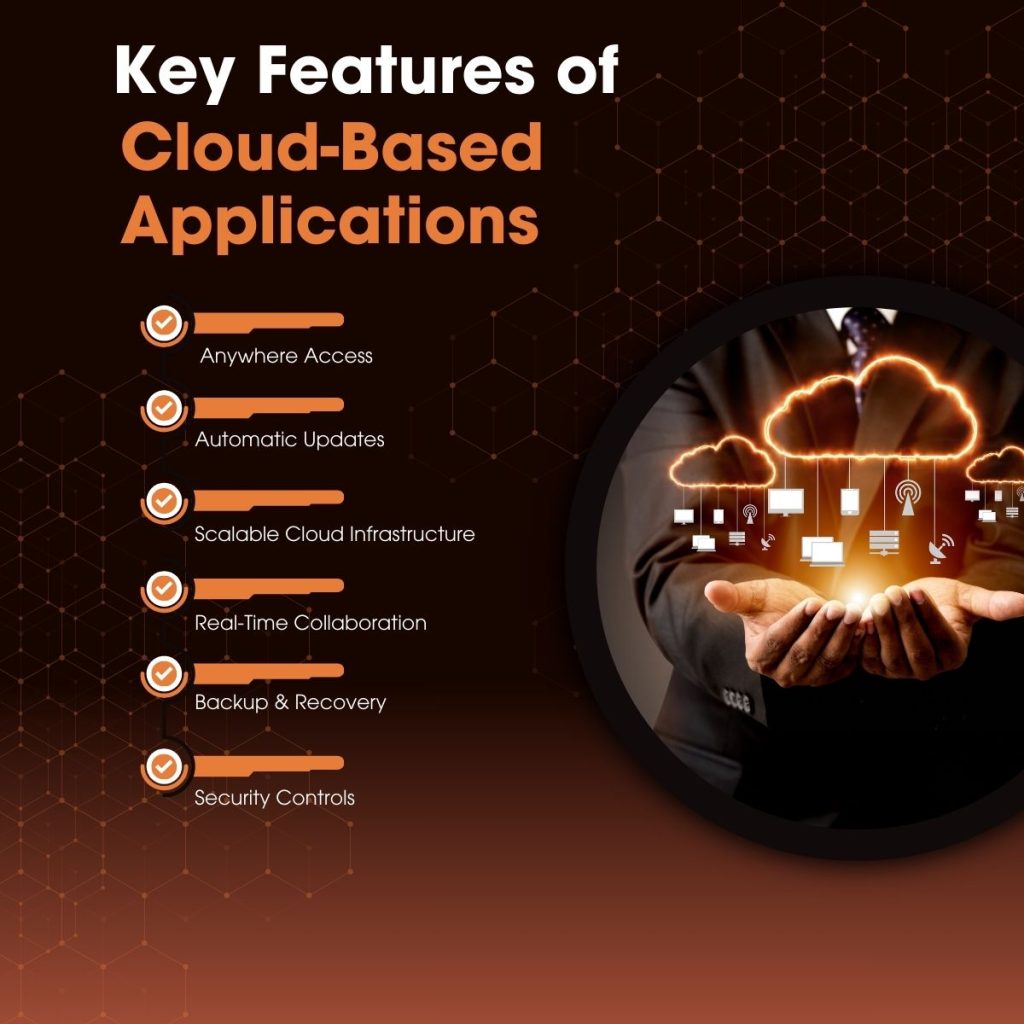
Key Features of Cloud-Based Applications
- Accessibility over the internet by any gadget that has internet.
- Automatic updates are provided automatically.
- Growth or seasonal demand Scalability.
- Team cross-collaboration in real-time.
- Built-in backups and recovery in case of disaster.
These characteristics make work in industries easier and enhance user experience.
Cloud-Based Applications and Services Explained
Cloud-based applications and services often get grouped, but they serve different roles. SaaS dominates cloud spending with about 47% share of global cloud services, making it the largest cloud segment today.
Cloud-Based Applications vs Cloud Services
- Cloud-based applications are end-user software, like email platforms or CRM tools.
- Cloud services are infrastructure, platform, or tools that support applications.
Common Cloud Service Models
- SaaS (Software as a Service) – Entire applications via the internet.
- PaaS (Platform as a Service) – Application development platforms.
- IaaS (Infrastructure as a Service) – Virtualized computing resources.
The majority of individuals use SaaS in their everyday lives, although they might not be aware of it. Gartner predicts that SaaS spending will be close to 300 billion in 2025, which is approximately forty-one percent of cloud.
Cloud-Based Applications Examples You Already Use
Many popular tools fall under cloud-based applications, for example. When you become aware of them, their presence is self-evident.
Everyday Cloud-Based Applications Examples
- The email systems and online diaries.
- File sharing and storage applications.
- Videoconferencing and chats.
Business-Focused Cloud-Based Applications Examples
- Customer relationship management systems.
- Payroll and accounting software.
- Project management systems.
These examples show how cloud-based applications simplify both personal and professional tasks.
List of Cloud-Based Applications by Category
Here’s a practical list of cloud-based applications grouped by use case.
Productivity and Teamwork
- Document editors
- Team chat tools
- Task management platforms
Storage and Data Management
- Cloud file storage systems
- Backup and recovery tools
Communication
- Video conferencing systems.
- Messaging and email services.
Business Operations
- CRM systems
- ERP and HR software
This list of cloud-based applications continues to grow as new tools enter the market.
Advantages of Cloud-Based Applications
Cloud-based applications offer several benefits that drive widespread adoption. 60% say migrating to the cloud reduced their costs by at least 20%, showing measurable financial advantage.
Why Users Prefer Cloud-Based Applications
- Lower upfront costs
- Faster deployment
- Scaling easily without upgrading the infrastructure.
- Better inter-location cooperation.
In the case of businesses, these benefits can be translated into increased growth and efficiency.
Disadvantages of Cloud-Based Applications
Despite the benefits, cloud-based applications also come with limitations worth considering. 82% of organizations report that security and compliance are the top cloud deployment challenges in 2025.
Common Disadvantages of Cloud-Based Applications
- Reliance on reliable internet connectivity.
- Lack of access to the underlying infrastructure.
- Possible data privacy issues.
- Uncontrollable service downtime.
Understanding these disadvantages of cloud-based applications helps set realistic expectations before adoption.
Real-World Use Cases of Cloud-Based Applications
Cloud-based applications support a wide range of industries and scenarios.
Education
Online learning platforms and virtual classrooms rely heavily on cloud-based applications to support remote access and collaboration.
Healthcare
Medical records, appointment systems, and telehealth services use cloud-based applications for secure data access.
Finance
Analytics, customer portals, and transaction processing are some of the cloud applications used by banks and fintech companies.
Process of Selecting the Right Cloud-Based Application
To choose the appropriate solution, there should be an understanding of objectives and limitations. By 2025, the global cloud market is expected to exceed $680 billion in revenue, growing over 20% year-on-year.
Key Factors to Evaluate
- Security and compliance standards.
- Scalability and performance.
- Profitability integration with other tools.
- Pricing and long-term costs
Free trials can be used to test the applications to determine whether they are really what you need.
The Future of Cloud-Based Applications
Cloud-based applications continue to evolve with emerging technologies. The use of artificial intelligence, automation, and edge computing is already affecting the functionality of these tools. AI adoption within cloud services increased 70% in 2022, showing rapid technological expansion.
As infrastructure improves and connectivity expands, cloud-based applications will become even more responsive, intelligent, and personalized.
Conclusion
Cloud-based applications have reshaped how people interact with software. They are very flexible, accessible, and scalable, and therefore a good option for both individuals and companies. They may be accompanied by challenges, but knowledge of their structure and application cases will make you embrace them comfortably.
Whether you’re exploring tools for personal productivity or planning enterprise-level solutions, cloud-based applications offer a foundation built for growth.
FAQs
1. What are cloud-based applications?
Cloud-based applications are software programs hosted online, accessed via the internet, and managed on remote cloud servers.
2. How do cloud-based applications work?
They operate on cloud servers, handle data remotely, and provide functionality to the users via browsers or lightweight applications.
3. What are examples of cloud-based applications?
Common cloud-based applications examples include email platforms, file storage tools, CRM systems, and online collaboration software.
4. What are the disadvantages of cloud-based applications?
Disadvantages of cloud-based applications include internet dependency, data privacy concerns, limited control, and occasional service outages.
5. Are cloud-based applications secure?
Cloud-based applications use encryption, access controls, and regular updates, though security also depends on providers and user practices.